Stream Report Issue #245
Twitch Now Promotes Your Clips Off Twitch
 By Pete Wilkins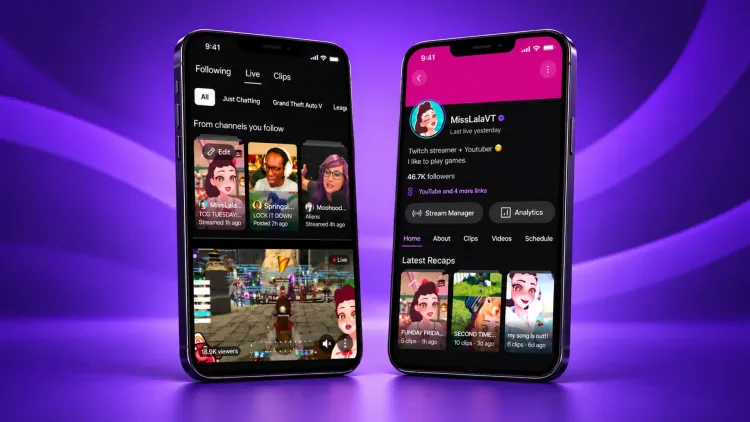
Twitch has started a new program that hands your clips over to other accounts to post on YouTube and Instagram. It's called Recaps Spotlight (opens in a new tab), and it's rolling out to Partners over the next couple of days. It's built on top of Stream Recaps, the highlight reels Twitch relaunched just last week (opens in a new tab).
How Stream Recaps Work
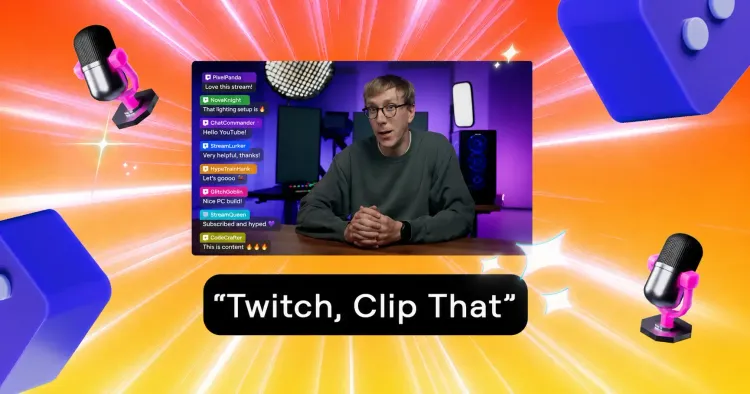
After you finish a stream, Twitch automatically puts together a Recap from the clips you and your editors made. If you say "Twitch Clip That," those clips get added automatically, but you still have the power to add, remove, or edit them (including cropping, captions, and layouts) from your Stream Summary or the mobile app.
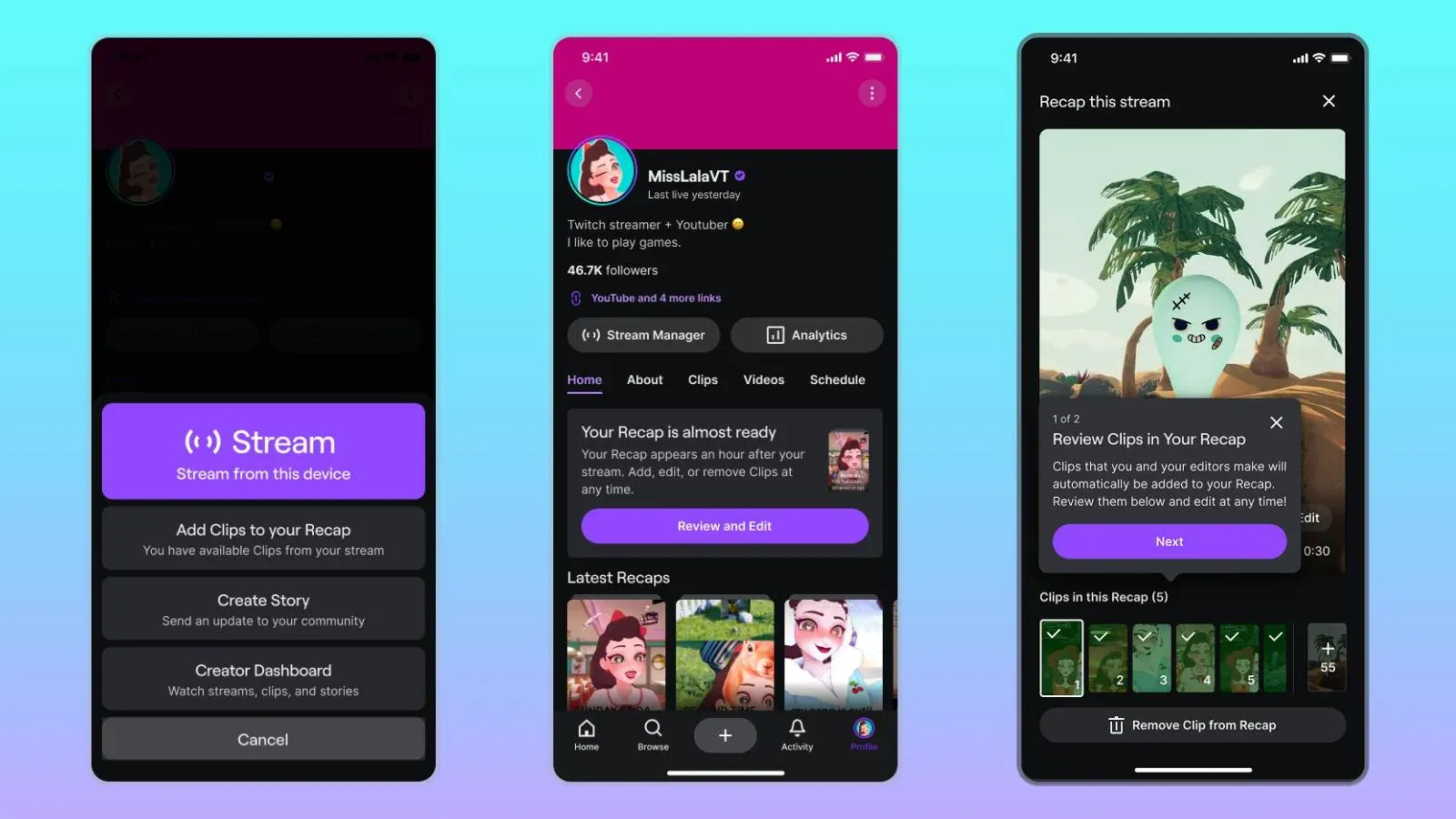
These Recaps show up in a shelf at the top of your followers' mobile feeds and stay on your channel page. Twitch also mentions that comments and reactions on Recap clips might be used to recommend them in the Clips and Live feeds.
The Details of Recaps Spotlight
Here is the breakdown of how the Spotlight program actually functions:
- Who picks the clips: Twitch's "distribution partners" (whoever they may be) will choose the standout clips from your Recaps and share them "on their social accounts."
- Where they go: Specifically "platforms like Instagram and YouTube."
- Credit: "Every promoted clip credits the streamer and points viewers back to their Twitch channel."
- Who can join: It's for Partners only for now, though Twitch has hinted that Affiliates "could" get access down the line. You can opt in (or out) through your Clip Settings on the web at any time.
- Cost: There is no cost to you, and Twitch has stated that participating "does not guarantee that a clip will be promoted."
What Twitch Isn't Saying
The big elephant in the room is that Twitch hasn't named its distribution partners. It also hasn't clarified whether these partners are being paid, or whether you, the creator, get any form of revenue share for the views your clips earn on those external platforms.
The timing is also a bit awkward. Only two weeks ago, I covered YouTube cutting Shorts reach for channels that primarily re-upload other creators' clips. Accounts that post clips from multiple streamers fit the description YouTube used, and its reused content policy applies even when the original creator has given permission. Twitch hasn't explained how its partners will be navigating that, but it's a hurdle to watch.
It does, however, fit the larger direction Twitch has been heading since July, when I wrote about how "Twitch, Clip That" is part of a massive push to turn clips into a discovery engine. Social Media Badges already reward viewers whose clips travel to other platforms; Spotlight is just the first time Twitch is officially arranging that distribution itself.
What You Should Do
- If you're a Partner: Spotlight is free and optional, so the real question is whether you're comfortable with unknown accounts posting your content. If you opt in, keep an eye on your channel name on Shorts and Reels every so often to see where your clips are actually landing.
- If you already pay clippers: Don't drop them for this. Spotlight is selective, there is no guarantee your clips will be chosen, and you have zero say over which ones do.
- For every streamer: Your Recap is built from your clips, so do a quick pass after your next few streams to remove anything you wouldn't want a brand-new viewer to see first. If nobody is clipping your streams, "Twitch Clip That" is the fastest way to get some content into your Recap.
- If you're an Affiliate: Spotlight isn't available to you yet, but Stream Recaps are, and they're the part of this that reaches your own followers.
Results go in next week's issue.
Pete's Content Corner
My weekly picks from across the content creation world.
- Instagram is testing 90-minute horizontal videos called Features, which Adam Mosseri explained on Colin and Samir's channel (opens in a new tab). It's starting with podcasters and comedians, and plans to open them to tens of thousands of US creators over the coming months. You'll be able to cut short segments into Reels that link to the full video. There's no revenue share, and Meta says it's "too early to share a long-term monetization model."
- YouTube has moved the Subscriptions tab out of the bottom bar (opens in a new tab) of its Android and iOS apps, where it had been since 2017. It's now "Subs," in a new row at the top of the Home tab next to Live, Music and new custom feeds, so the feed where your subscribers see your uploads in order is one tap further away.
- OBS Studio 33 is out of beta (opens in a new tab). The browser source engine jumps from version 127 to 150, and there are new audio monitoring hotkeys and better fullscreen game detection. Third-party plugins have a new install location, and the old folders only keep working until OBS 34, so check your plugins after updating.
Thanks, as always, for taking the time to read Stream Report.
Pete ✌️