Stream Report Issue #239
Twitch Wants to Give You Feedback on Your Streams
 By Pete Wilkins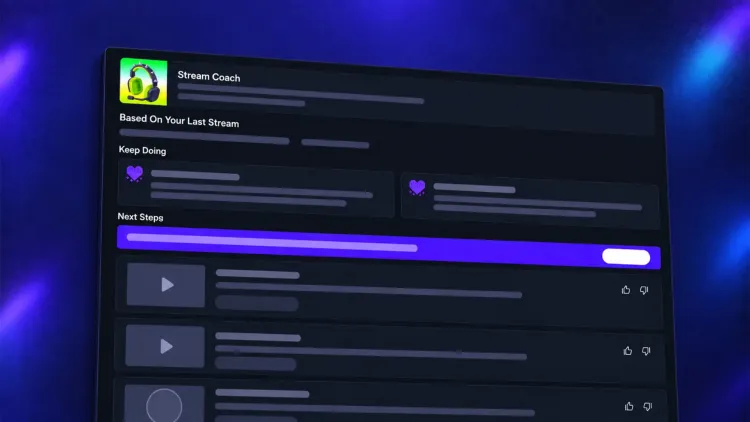
Twitch is testing Stream Coach with a small group of creators. The feature generates a summary after each broadcast, highlighting when viewers were most engaged and suggesting changes for your next stream.
Some of those suggestions cover fairly basic channel setup: a bio you haven't filled in, social links you haven't added, or monetisation tools you aren't using. It also explains features like Raids and Schedules. For advice on the content itself, it looks at how your clips performed to identify what viewers responded to.
Optional now, opt-in later
One of the first questions from creators was how to disable it. Twitch Support was clear about that:
Twitch says Stream Coach is "entirely optional." Creators in the test can turn it off through the Stream Coach tab in their Creator Dashboard, and the platform says it would make any wider release opt-in.
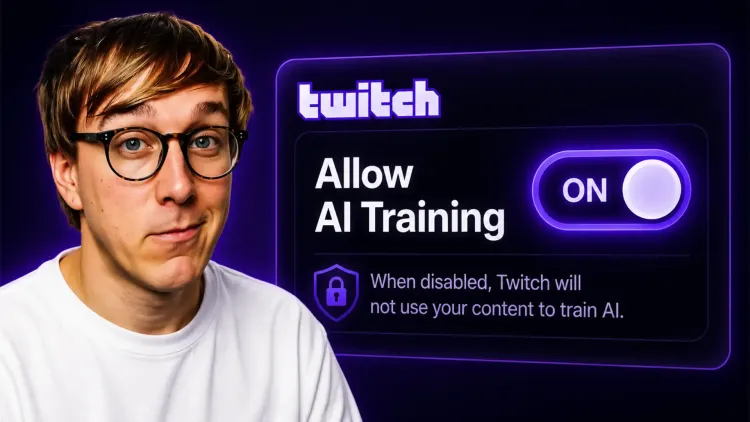
That's a welcome commitment, though last month's rollout gives creators a reason to be cautious. When Twitch enabled Amazon AI training across every account, you could change the setting yourself, but only after the platform had already switched it on without telling anyone. CPO Mike Minton explained the reasoning pretty plainly: "if it was opt-in, nobody would opt in."
What matters here is how Stream Coach arrives in your dashboard. An opt-in release means it's off until you choose to enable it. Having it running already, with a setting you can go and disable, would still make it optional.
YouTube shipped one too
YouTube has also expanded Get Feedback (opens in a new tab) this week, making it available to US creators over 18 who upload Shorts through the mobile app. After uploading a draft, tap Get Feedback on the Add Details screen to receive suggestions on your opening hook, pacing and visuals. You get the feedback before publishing, and the tool doesn't make any edits to the video.
It's interesting that both platforms are investing in automated creator advice at the same time. They clearly think there's demand for help understanding what works. From their side, offering an explanation for why your content struggled is also a lot cheaper than finding it more viewers.
What This Means for You
- If you have access, give it a few streams. I'd expect the channel setup reminders to be the most useful starting point. Missing bios and social links are common enough that a prompt to fix them could help.
- You can turn it off in your Creator Dashboard. Look for the Stream Coach tab. That setting only controls coaching.
- Check your AI training preference separately. You'll find it at twitch.tv/settings/security (opens in a new tab) under "Training for Generative AI." If you don't want your content used for training, check that the box is still unticked.
- Pay attention when the wider rollout arrives. Twitch has explicitly said it would be opt-in. If the feature appears already enabled, we'll have a clear commitment to point back to.
Pete’s Content Corner
My weekly picks from across the content creation world.
- Twitch has published its State of Gaming 2026 report (opens in a new tab), covering January through early September. Gaming accounted for more than 8.6 billion hours watched, while viewing of indie-tagged content rose 51% year on year.
- Twitch now offers anniversary celebrations (opens in a new tab) for the date you became an Affiliate or Partner, with a message in chat to mark the occasion. Your Creator Dashboard settings let you adjust the date, leave out the year, or disable the celebration altogether.
- N3on has launched an AI version of himself on Kick, built with Higgsfield AI to keep streaming around the clock while he's offline. He lost tens of thousands of followers in the first hour (opens in a new tab), despite labelling it as AI and disclosing the paid partnership, and has since defended the project on stream (opens in a new tab).
Thanks, as always, for taking the time to read Stream Report.
Pete ✌️